Cute Watch on YouTube ↗
3D SHORT MV TOOL FOR VTUBERS
Your own 3D model.
Your next
short music video.
Import your VRM and motion.
Choose the look you like.
No advanced Unity skills required.
Finish a 9:16 3D short music video.
Windows 10 / 11 x64
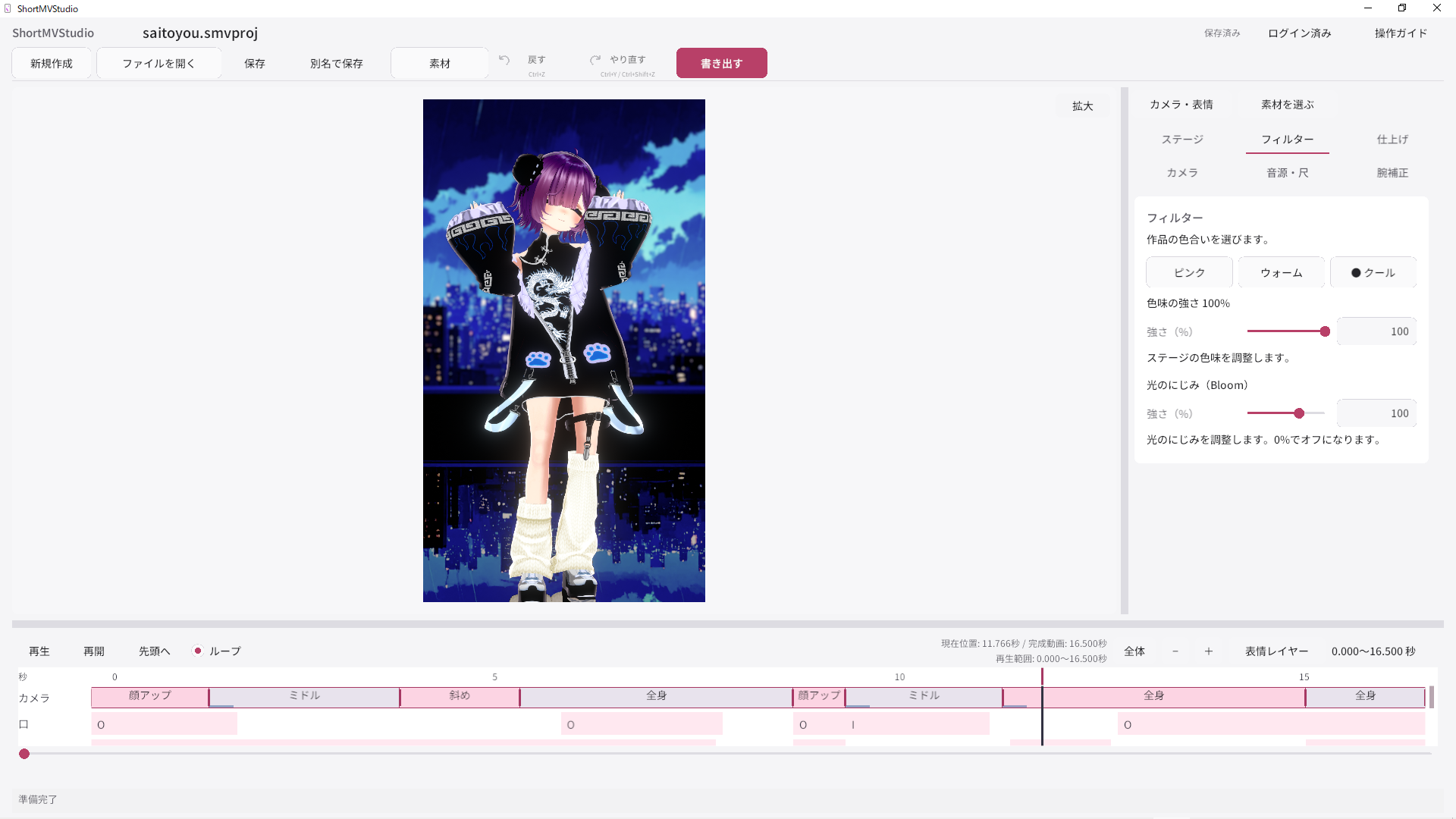
Japanese UI shown. Select English in the app.
YOUR VRMYOUR MOTIONREADY-TO-USE PRESETS9:16 MP4
01
MADE WITH SHORTMVSTUDIO
See what you can make
ShortMVStudio MAGAZINE
Alpha test special issue (Japanese)
Seven videos from alpha testers, plus scenes from five new stages. This magazine is in Japanese.
02
HOW IT WORKS
Choose. Preview. Export.
Start with a preset, then adjust the details you want to make your own.
- 01
Import your VRM and motion
Add your model and movement to a project. Motion files use the VMD format.
- 02
Choose a preset
Choose a finished look with its background, lighting and camera.
- 03
Export your video
Preview in 9:16, then export to MP4.
VRM is a file format for 3D avatars, including VTuber models (extension: .vrm).
VMD is a motion data format that records movement for 3D models (extension: .vmd).
CHOOSE YOUR VIEW
- Background
- Look
- Lighting
- Camera
- Expression
03
WHY SHORTMVSTUDIO
A shorter path to a finished video.
Finishing a video matters more than adding more controls. ShortMVStudio focuses on self-service creation by VTubers themselves.
A finished look, ready to choose
Presets combine backgrounds, lighting and looks. Choose a starting point without building every setting from scratch.
A camera that puts your face first
Camera profiles draw on production experience with flattering distances, angles and following movement. Choose a look instead of building a camera from scratch.
No need to learn Unity
You do not need to edit advanced Transform or Post Processing values directly in the main interface.
Your model. Your creative choices.
Choose, preview and finish your own work at your own pace.
FOR YOU
Made for VTubers who...
- 01 Have a 3D model but few chances to use it
- 02 Want to create without learning Unity or MMD from scratch
- 03 Want to make 3D shorts on their own schedule
- 04 Want to turn existing or original motions into videos
- 05 Want to choose how their own model looks on camera
04
PRICING
Try it. Keep creating.
Free / Creator are for the performer. Operator is for an authorized operator. These plans do not limit the number of videos you can make.
Free
¥0
For making videos with your own model, starting for free.
- 1 VMD Credit / billing period
- Quota and VMD registrations renew on the first day of each month (JST)
- Includes the ShortMVStudio watermark
- Re-edit or export the same VMD again within the same period without using another credit
- Use for your own activities, including monetization
- Commissioned production for third parties is prohibited
Creator
Recommended¥2,980 / month (tax included)
For regular posting and trying new looks.
- 7 VMD Credits / billing period
- Quota and VMD registrations renew each month from your subscription start date
- No watermark
- Re-edit or export the same VMD again within the same period without using another credit
- Use for your own activities, including monetization
- For VTubers themselves, independent or agency-affiliated
- Commissioned production for third parties is prohibited
Operator
¥9,980 / month
For authorized operators other than the VTuber. Contact us for individual review.
- Standard monthly price shown; individual conditions are provided before application
- For agency staff, video staff and managers
- Operation by an authorized production member of the affiliated team
- For the official activities of VTubers under your management
- Commissioned production for third parties is prohibited
Free and Creator differ only in unique VMD quota per period and the presence of a watermark. Features, presets and output quality are shared. VTubers using the app themselves for their own activities can use Free / Creator, whether independent or agency-affiliated. All plans, including Operator, prohibit commissioned production and delivery of videos for third parties.
05
FAQ
Questions before you begin.
01 What is ShortMVStudio?
A Windows app for making 9:16 short music videos with your own 3D model. Import a VRM and motion, then choose a stage, colors, camera and expressions to complete a video. You do not need to operate Unity yourself.
02 What do I need?
A Windows 10 / 11 PC, a VRM 3D model and a VMD motion you have permission to use. You can also import MP3 or WAV audio. Check that your VRM, VMD and audio licenses permit your intended use.
03 What is a VMD Credit?
It counts unique VMD files registered during each usage period. Registering a VMD for the first time in a period uses 1 credit. It is not a limit on videos or exports.
04 How do Free and Creator differ?
Only unique VMD quota and watermark differ. Free costs JPY 0 and includes 1 unique VMD per calendar month starting on the first day in JST. Creator costs JPY 2,980/month (tax included), with 7 unique VMDs per month from the subscription start date. Free includes a watermark; Creator does not. Features, presets and export quality are shared. Unused quota and VMD registrations from the previous period do not carry over.
05 Can I export at 60 fps?
The initial version exports 1080 x 1920 / 30 fps / MP4. It does not support 60 fps.
SHORTMVSTUDIO
Your own 3D model.
Your next video.
Make a short music video with your model using the Free plan.
Get the Windows app and follow the launch instructions below.